How to Auto-Generate Technical Docs for Your Automations
The TL;DR:
- Technical documentation debt kills handoffs, client onboarding, and team velocity—especially in automation agencies.
- A simple AI agent can convert workflow JSON into executive summaries, step-by-step breakdowns, and testing guides automatically.
- With the right prompt structure and output formatting (Google Docs + Apps Script), you can produce production-ready documentation in under a minute.
If you've ever handed off an automation to a client or a teammate and heard "Wait, what does this thing actually do?"—you know the problem.
Documentation is the tax no one wants to pay. But the cost of not documenting compounds fast: failed handoffs, client confusion, broken workflows that no one knows how to fix. After building dozens of automation systems for clients and internal teams, the pattern is clear: the companies that scale automation profitably are the ones who treat documentation as a first-class output, not an afterthought.
Here's how to automate the entire process using a single AI agent.
The Diagnosis: Why Documentation Never Gets Done
The symptoms show up in every automation shop:
- The Tribal Knowledge Trap: Only one person knows how the workflow works. When they're unavailable, everything stops.
- The Client Onboarding Delay: You deliver the automation, but the client can't use it without a 45-minute walkthrough call.
- The Maintenance Nightmare: Six months later, something breaks. No one remembers what's connected to what or why a specific node exists.
- The Team Bottleneck: Junior team members can't touch workflows because there's no map of what not to break.
The root cause? Documentation requires context-switching. You finish building the workflow in n8n or Make.com, and now you have to open a Google Doc and manually reconstruct what you just built. The builder brain and the documenter brain don't operate at the same time. So documentation gets skipped, delayed, or done so poorly it's useless.
The old way was to treat documentation as a separate manual task. The new way is to treat the workflow code itself as the source material for an AI agent that produces the documentation for you.
The Aha Moment: Your Workflow Already Contains the Answers
Here's the insight: when you export a workflow from n8n or Make.com, you get a JSON file. That JSON contains everything—node names, connections, parameters, API endpoints, logic branches. It's a complete technical blueprint.
The problem isn't missing information. The problem is that the information is in machine format, not human format. An AI agent can bridge that gap in seconds.
Once you realize the workflow export is the documentation source, the question shifts from "How do I find time to write docs?" to "How do I structure the prompt so the output is actually useful?"
The Documentation Agent Framework
This is a three-component system: trigger, transform, format.
Component 1: The Chat Trigger + Workflow Input
What it is: A simple chat interface where you paste the exported JSON code from your n8n workflow or Make.com scenario.
How to build it:
- Use a chat trigger node in n8n (or equivalent in Make.com).
- Accept the workflow JSON as the input variable.
- No preprocessing required—just pass the raw code directly into the AI agent.
Component 2: The Structured Prompt
What it is: A prompt that defines the exact sections you want in your technical documentation. This is the engine of the system.
How to build it:
- Define the output structure in your prompt. Include sections like: Executive Summary, Technical Requirements, Step-by-Step Workflow Logic, Connected Systems, Testing Guide with Mock Data, Troubleshooting Notes.
- Specify the output format: Markdown. This is critical for the next step.
- Use an LLM node (OpenAI, Claude, etc.) and pass the workflow JSON as context with your structured prompt.
- The agent reads the JSON, interprets the logic, and generates human-readable documentation in under 60 seconds.
Component 3: Automated Formatting + Storage
What it is: A system that takes the Markdown output, converts it into a formatted Google Doc, and saves it to your shared drive automatically.
How to build it:
- Use a Google Docs creation node to generate the file.
- Dynamically name the file based on the workflow name (extracted from the JSON).
- Store it in a pre-defined folder in Google Drive (e.g., "Client Documentation" or "Internal Automation Docs").
- Use a Google Apps Script to convert the Markdown into properly formatted headers, bullet lists, and tables. This step transforms raw text into a polished, client-ready document.
The entire process—from pasting JSON to having a formatted, stored document—takes less than one minute.
Where Founders Go Wrong
Mistake 1: Treating documentation as a one-time export. Documentation should be versioned. Every time you update the workflow, re-run the agent and append a version number to the doc. The fix: build versioning into your file-naming convention (e.g., "Workflow_Name_v2.3").
Mistake 2: Skipping the formatting layer. Raw Markdown in a Google Doc looks unprofessional. Clients and team members won't read it. The fix: invest 30 minutes in writing or adapting a Google Apps Script that converts Markdown into styled headings, lists, and tables. This is the difference between a reference document and a usable document.
Mistake 3: Not including mock data in the testing guide. A testing guide without sample inputs is useless. The fix: explicitly instruct the AI agent to generate realistic mock data for each workflow input. For example, if the workflow processes form submissions, the agent should provide a sample JSON payload with names, emails, and timestamps.
Monday Morning Actions
- Export one workflow as JSON. Go into n8n or Make.com, pick your most-used workflow, and export the code. Paste it into a ChatGPT or Claude window with a prompt like: "Generate technical documentation for this workflow. Include: executive summary, technical requirements, step-by-step logic, and a testing guide with mock data." See what it produces in 30 seconds.
- Build the first agent in n8n. Create a new workflow with a chat trigger, an OpenAI node (or your preferred LLM), and a Google Docs output node. Use the structured prompt from Step 1. Test it with one workflow export.
- Write or adapt a Google Apps Script for Markdown formatting. Search for "Google Apps Script Markdown to Google Docs formatter" and customize one for your heading styles and brand. Link it to your automation so every new doc is formatted on creation.
The Shift: From Documentation Debt to Documentation as a Service
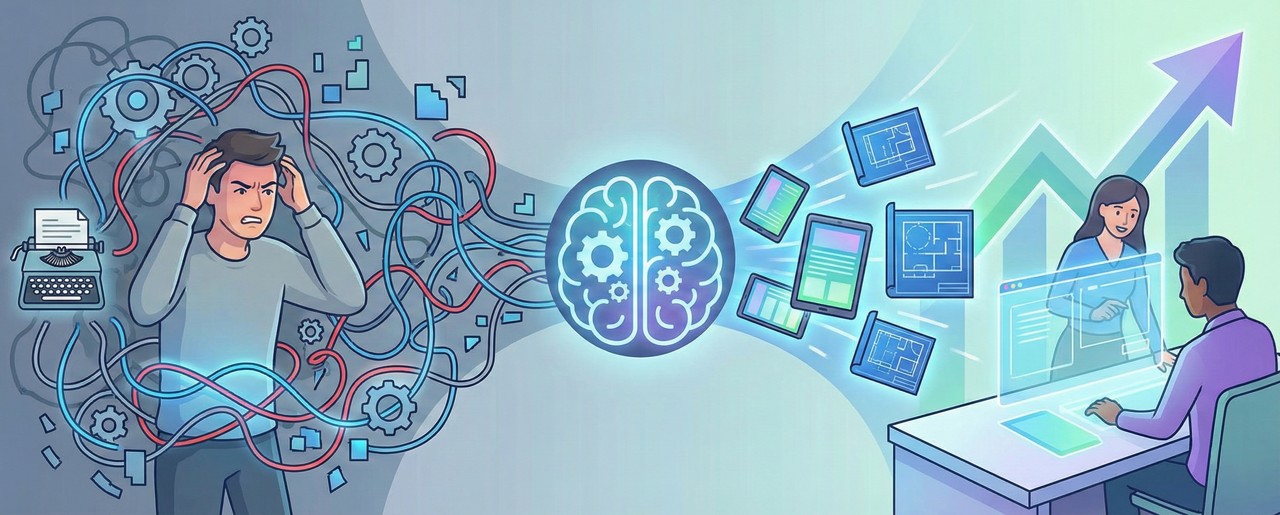
Before: Documentation was a manual, skipped step that created risk in every client handoff and team transition.
After: Documentation is an automated output that happens every time you build or update a workflow. Your clients get onboarded faster. Your team can troubleshoot without you. Your automation systems become transferable assets, not black boxes.
The companies that win in automation aren't just the ones who build fast—they're the ones who build systems that others can understand, maintain, and scale.
You NEED this if you build agents or automation
The TL;DR:
- Technical documentation debt kills handoffs, client onboarding, and team velocity—especially in automation agencies.
- A simple AI agent can convert workflow JSON into executive summaries, step-by-step breakdowns, and testing guides automatically.
- With the right prompt structure and output formatting (Google Docs + Apps Script), you can produce production-ready documentation in under a minute.
If you've ever handed off an automation to a client or a teammate and heard "Wait, what does this thing actually do?"—you know the problem.
Documentation is the tax no one wants to pay. But the cost of not documenting compounds fast: failed handoffs, client confusion, broken workflows that no one knows how to fix. After building dozens of automation systems for clients and internal teams, the pattern is clear: the companies that scale automation profitably are the ones who treat documentation as a first-class output, not an afterthought.
Here's how to automate the entire process using a single AI agent.
The Diagnosis: Why Documentation Never Gets Done
The symptoms show up in every automation shop:
- The Tribal Knowledge Trap: Only one person knows how the workflow works. When they're unavailable, everything stops.
- The Client Onboarding Delay: You deliver the automation, but the client can't use it without a 45-minute walkthrough call.
- The Maintenance Nightmare: Six months later, something breaks. No one remembers what's connected to what or why a specific node exists.
- The Team Bottleneck: Junior team members can't touch workflows because there's no map of what not to break.
The root cause? Documentation requires context-switching. You finish building the workflow in n8n or Make.com, and now you have to open a Google Doc and manually reconstruct what you just built. The builder brain and the documenter brain don't operate at the same time. So documentation gets skipped, delayed, or done so poorly it's useless.
The old way was to treat documentation as a separate manual task. The new way is to treat the workflow code itself as the source material for an AI agent that produces the documentation for you.
The Aha Moment: Your Workflow Already Contains the Answers
Here's the insight: when you export a workflow from n8n or Make.com, you get a JSON file. That JSON contains everything—node names, connections, parameters, API endpoints, logic branches. It's a complete technical blueprint.
The problem isn't missing information. The problem is that the information is in machine format, not human format. An AI agent can bridge that gap in seconds.
Once you realize the workflow export is the documentation source, the question shifts from "How do I find time to write docs?" to "How do I structure the prompt so the output is actually useful?"
The Documentation Agent Framework
This is a three-component system: trigger, transform, format.
Component 1: The Chat Trigger + Workflow Input
What it is: A simple chat interface where you paste the exported JSON code from your n8n workflow or Make.com scenario.
How to build it:
- Use a chat trigger node in n8n (or equivalent in Make.com).
- Accept the workflow JSON as the input variable.
- No preprocessing required—just pass the raw code directly into the AI agent.
Component 2: The Structured Prompt
What it is: A prompt that defines the exact sections you want in your technical documentation. This is the engine of the system.
How to build it:
- Define the output structure in your prompt. Include sections like: Executive Summary, Technical Requirements, Step-by-Step Workflow Logic, Connected Systems, Testing Guide with Mock Data, Troubleshooting Notes.
- Specify the output format: Markdown. This is critical for the next step.
- Use an LLM node (OpenAI, Claude, etc.) and pass the workflow JSON as context with your structured prompt.
- The agent reads the JSON, interprets the logic, and generates human-readable documentation in under 60 seconds.
Component 3: Automated Formatting + Storage
What it is: A system that takes the Markdown output, converts it into a formatted Google Doc, and saves it to your shared drive automatically.
How to build it:
- Use a Google Docs creation node to generate the file.
- Dynamically name the file based on the workflow name (extracted from the JSON).
- Store it in a pre-defined folder in Google Drive (e.g., "Client Documentation" or "Internal Automation Docs").
- Use a Google Apps Script to convert the Markdown into properly formatted headers, bullet lists, and tables. This step transforms raw text into a polished, client-ready document.
The entire process—from pasting JSON to having a formatted, stored document—takes less than one minute.
Where Founders Go Wrong
Mistake 1: Treating documentation as a one-time export. Documentation should be versioned. Every time you update the workflow, re-run the agent and append a version number to the doc. The fix: build versioning into your file-naming convention (e.g., "Workflow_Name_v2.3").
Mistake 2: Skipping the formatting layer. Raw Markdown in a Google Doc looks unprofessional. Clients and team members won't read it. The fix: invest 30 minutes in writing or adapting a Google Apps Script that converts Markdown into styled headings, lists, and tables. This is the difference between a reference document and a usable document.
Mistake 3: Not including mock data in the testing guide. A testing guide without sample inputs is useless. The fix: explicitly instruct the AI agent to generate realistic mock data for each workflow input. For example, if the workflow processes form submissions, the agent should provide a sample JSON payload with names, emails, and timestamps.
Monday Morning Actions
- Export one workflow as JSON. Go into n8n or Make.com, pick your most-used workflow, and export the code. Paste it into a ChatGPT or Claude window with a prompt like: "Generate technical documentation for this workflow. Include: executive summary, technical requirements, step-by-step logic, and a testing guide with mock data." See what it produces in 30 seconds.
- Build the first agent in n8n. Create a new workflow with a chat trigger, an OpenAI node (or your preferred LLM), and a Google Docs output node. Use the structured prompt from Step 1. Test it with one workflow export.
- Write or adapt a Google Apps Script for Markdown formatting. Search for "Google Apps Script Markdown to Google Docs formatter" and customize one for your heading styles and brand. Link it to your automation so every new doc is formatted on creation.
The Shift: From Documentation Debt to Documentation as a Service
Before: Documentation was a manual, skipped step that created risk in every client handoff and team transition.
After: Documentation is an automated output that happens every time you build or update a workflow. Your clients get onboarded faster. Your team can troubleshoot without you. Your automation systems become transferable assets, not black boxes.
The companies that win in automation aren't just the ones who build fast—they're the ones who build systems that others can understand, maintain, and scale.