Switching from ChatGPT to Claude Just Got Ridiculously Easy
The TL;DR:
- AI platforms build switching costs by trapping your context, preferences, and conversation history, just like CRMs and cloud providers did before them.
- Anthropic's new memory import tool (free for all users) lets you transfer your AI profile from ChatGPT, Gemini, or Copilot in three copy-paste steps, eliminating vendor lock-in.
- The real strategic question isn't which AI to use today, but whether your team has an AI portability strategy as the landscape shifts every six months.
If you've built workflows around ChatGPT, you've probably noticed something: the longer you use it, the harder it becomes to leave. It knows your writing style. It remembers your role, your preferences, the type of answers you expect. That context is what makes AI tools useful over time.
It's also what makes them sticky. And that's by design.
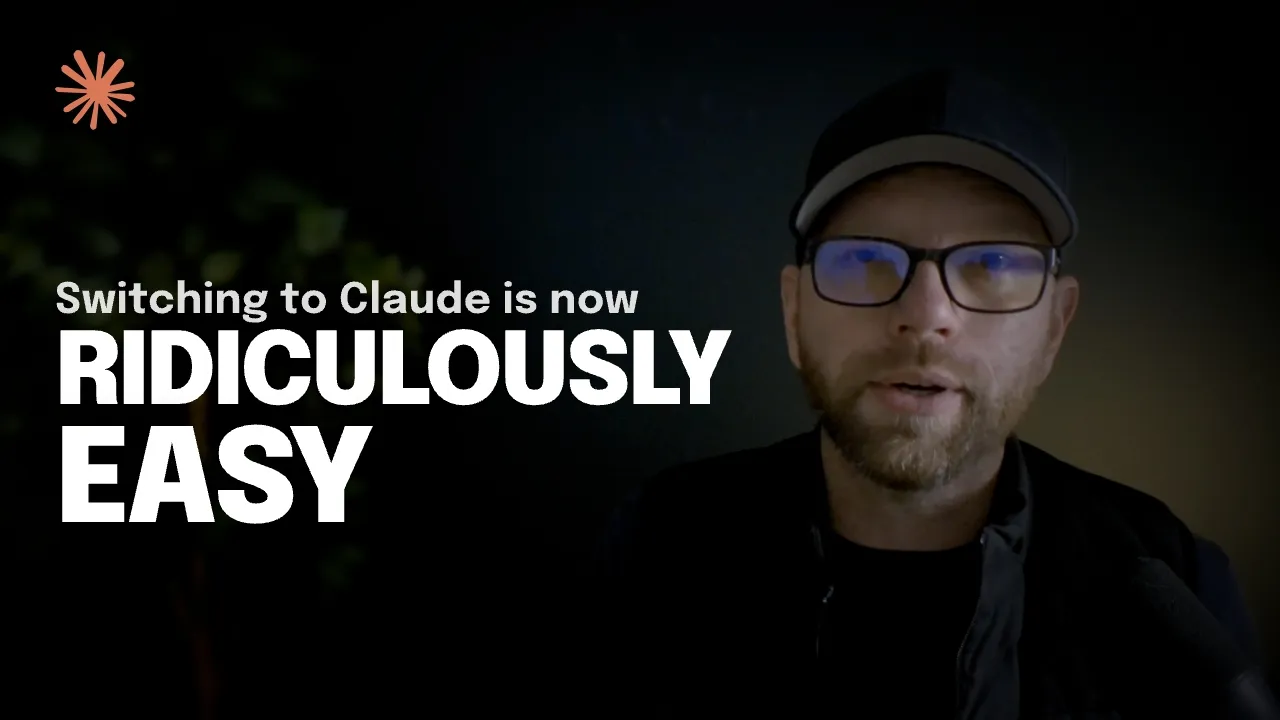
This weekend, Anthropic made a move that changes the game. They launched a memory import tool that lets anyone, including free users, transfer their entire AI profile from ChatGPT, Gemini, or Microsoft Copilot into Claude in under 60 seconds. No exports. No API tokens. Just copy and paste.
But this isn't a product feature story. It's a strategy story about vendor lock-in, switching costs, and how the AI landscape is starting to mirror the same competitive dynamics we've seen play out in CRMs, cloud infrastructure, and social platforms.
The Diagnosis: Why AI Switching Costs Are Rising Fast
Every AI platform is building a memory of you: your preferences, style, past chats, and workflow context. The more you rely on one tool, the harder it becomes to leave. Here's the pattern emerging across teams using AI daily:
- Vendor lock-in is real. Your AI remembers everything about you, but that memory is tied to the platform. Switching means losing context or starting over from scratch.
- Portability matters. Teams that make it easy to move memories and workflows between platforms gain a competitive advantage.
- The landscape moves fast. The best AI today might not be the best in six months. Lock in too tightly, and you risk inefficiency or higher costs when something better emerges.
AI platforms learned this from the SaaS playbook: high switching costs protect market share. If your workflows, memories, and context live inside one ecosystem, leaving gets expensive, even when a better tool exists.
Anthropic's new Claude memory import tool flips that dynamic. By letting you transfer context from ChatGPT, Gemini, or Copilot, it reduces switching friction and hands control back to the user. The timing is no accident.
The takeaway: Teams that recognize their dependence on a single AI and plan for portability move faster, adapt more easily, and avoid getting trapped.
The Insight: Why Anthropic Is Betting on Portability
Claude recently hit number one on the US App Store's free charts. Their free user base grew 60% since January. And while OpenAI tests ads on free and Plus plans, Anthropic publicly committed to keeping Claude ad-free.
But here's the strategic move that matters: they're removing friction at the exact moment when trust in OpenAI's direction is wavering.
The memory import tool works like this. You go to claude.ai/importmemory, copy a pre-written prompt, paste it into ChatGPT (or Gemini, or Copilot), and the AI generates a text block of everything it knows about you. You copy that back into Claude. Done. No developer tools. No JSON parsing. No exports.
It's almost too simple. And that's the point.
When you're competing against incumbents with massive user bases, you don't win by being slightly better. You win by making it ridiculously easy to try you. Anthropic just removed the biggest barrier: starting over from scratch.
The Framework: Building an AI Portability Strategy
Whether you switch to Claude or not, this moment highlights a question most teams haven't asked: how portable is your AI setup?
Here's how to think about it.
Audit What Your AI Actually Knows
The Concept: Most founders have no idea what's stored in their AI's memory. Preferences, writing styles, business context, even strategic priorities, it's all there, invisible until you look.
The Application: Go into your AI tool's memory settings right now and read what's stored. In ChatGPT, that's Settings > Personalization > Memory. What you find will probably surprise you. You'll see context you gave it months ago, assumptions it made about your role, and preferences you never explicitly set. That's your switching cost, sitting right there in plain text. Once you've mapped it, you understand exactly what you'd lose by leaving and what you'd need to rebuild elsewhere.
Map Your Team's AI Dependencies
The Concept: If your team uses AI for drafting, research, or decision support, workflows are likely built around one platform. That's a single point of failure.
The Application: List every workflow where AI is involved, who owns it, and which platform it runs on. Then ask: if that platform raised prices 3x tomorrow, or shut down, or got significantly worse, how long would it take you to recover? If the answer is "months," your dependency is a business risk, not just a tool preference. Most teams discover they're far more concentrated than they realized.
Build Optionality Into Your AI Stack
The Concept: The best AI provider today might not be the best in six months. The landscape moves too fast to bet everything on one platform.
The Application: This doesn't mean using every AI tool at once. It means deliberately keeping your highest-value context in a format you can move. Document your team's core prompts, system instructions, and workflow logic somewhere you own, like a shared doc or internal wiki, not just inside one platform's interface. That way, switching becomes a matter of hours, not months. One team we spoke with maintains a "context library," a running document of their most effective prompts and AI configurations that lives outside any single platform. It's a small habit with an outsized payoff when the landscape shifts.
Where Founders Go Wrong
Assuming AI tools are commodities. Many teams treat AI like a utility—just pick one and move on. But memory, context, and personalization create switching costs fast. The fix: treat AI tool selection like you would a CRM or cloud provider. Evaluate lock-in risk upfront.
Ignoring data portability until it's too late. Most founders don't think about exporting AI memories until they want to leave. By then, the friction feels insurmountable. The fix: audit your AI's memory settings now, even if you're happy with your current tool. Know what's stored and how to move it.
Overlooking privacy and control. When an AI remembers your business context, that data becomes strategic. Not all platforms handle it the same way. The fix: review your AI provider's data policies. Can you export memories? Are they used for training? Can you delete them? Anthropic encrypts memories, doesn't use them for training, and lets you pause or delete anytime. That's a baseline to compare against.
Monday Morning Actions
Three things you can do this week:
- Spend 10 minutes auditing your AI's memory. Go into your current tool's memory or personalization settings and read what it knows about you. Export it or copy it somewhere you own. This alone will clarify how dependent your workflows have become.
- Run the portability test with your team. Ask everyone who uses AI regularly: if our primary tool disappeared tomorrow, what would break? Which workflows would stall? The answers will tell you where your concentration risk actually lives.
- Try the Claude import tool, even if you don't switch. Go to claude.ai/importmemory and run through the process. It takes under five minutes and, regardless of whether you stay on Claude, it's a useful exercise in understanding exactly what context you've built up and how transferable it actually is.
The Shift: From Feature Wars to Control Wars
Six months ago, AI competition was about who had the smartest model. Today, it's shifting toward who gives you the most control over your data, your workflows, and your ability to leave.
Anthropic's memory import tool is a signal. Vendor lock-in is becoming a competitive weapon in AI—and portability is the counter-move. Whether you switch platforms or not, the lesson is clear: the more context you feed into one AI, the harder it becomes to leave. That's by design.
The founders who win in this environment won't be the ones who pick the "best" AI today. They'll be the ones who build optionality into their AI strategy, audit their dependencies, and refuse to let switching costs dictate their tools.
Want more breakdowns on AI strategy moves that actually matter for founders? Subscribe to get the next one in your inbox.
The TL;DR:
- AI platforms build switching costs by trapping your context, preferences, and conversation history, just like CRMs and cloud providers did before them.
- Anthropic's new memory import tool (free for all users) lets you transfer your AI profile from ChatGPT, Gemini, or Copilot in three copy-paste steps, eliminating vendor lock-in.
- The real strategic question isn't which AI to use today, but whether your team has an AI portability strategy as the landscape shifts every six months.
If you've built workflows around ChatGPT, you've probably noticed something: the longer you use it, the harder it becomes to leave. It knows your writing style. It remembers your role, your preferences, the type of answers you expect. That context is what makes AI tools useful over time.
It's also what makes them sticky. And that's by design.
This weekend, Anthropic made a move that changes the game. They launched a memory import tool that lets anyone, including free users, transfer their entire AI profile from ChatGPT, Gemini, or Microsoft Copilot into Claude in under 60 seconds. No exports. No API tokens. Just copy and paste.
But this isn't a product feature story. It's a strategy story about vendor lock-in, switching costs, and how the AI landscape is starting to mirror the same competitive dynamics we've seen play out in CRMs, cloud infrastructure, and social platforms.
The Diagnosis: Why AI Switching Costs Are Rising Fast
Every AI platform is building a memory of you: your preferences, style, past chats, and workflow context. The more you rely on one tool, the harder it becomes to leave. Here's the pattern emerging across teams using AI daily:
- Vendor lock-in is real. Your AI remembers everything about you, but that memory is tied to the platform. Switching means losing context or starting over from scratch.
- Portability matters. Teams that make it easy to move memories and workflows between platforms gain a competitive advantage.
- The landscape moves fast. The best AI today might not be the best in six months. Lock in too tightly, and you risk inefficiency or higher costs when something better emerges.
AI platforms learned this from the SaaS playbook: high switching costs protect market share. If your workflows, memories, and context live inside one ecosystem, leaving gets expensive, even when a better tool exists.
Anthropic's new Claude memory import tool flips that dynamic. By letting you transfer context from ChatGPT, Gemini, or Copilot, it reduces switching friction and hands control back to the user. The timing is no accident.
The takeaway: Teams that recognize their dependence on a single AI and plan for portability move faster, adapt more easily, and avoid getting trapped.
The Insight: Why Anthropic Is Betting on Portability
Claude recently hit number one on the US App Store's free charts. Their free user base grew 60% since January. And while OpenAI tests ads on free and Plus plans, Anthropic publicly committed to keeping Claude ad-free.
But here's the strategic move that matters: they're removing friction at the exact moment when trust in OpenAI's direction is wavering.
The memory import tool works like this. You go to claude.ai/importmemory, copy a pre-written prompt, paste it into ChatGPT (or Gemini, or Copilot), and the AI generates a text block of everything it knows about you. You copy that back into Claude. Done. No developer tools. No JSON parsing. No exports.
It's almost too simple. And that's the point.
When you're competing against incumbents with massive user bases, you don't win by being slightly better. You win by making it ridiculously easy to try you. Anthropic just removed the biggest barrier: starting over from scratch.
The Framework: Building an AI Portability Strategy
Whether you switch to Claude or not, this moment highlights a question most teams haven't asked: how portable is your AI setup?
Here's how to think about it.
Audit What Your AI Actually Knows
The Concept: Most founders have no idea what's stored in their AI's memory. Preferences, writing styles, business context, even strategic priorities, it's all there, invisible until you look.
The Application: Go into your AI tool's memory settings right now and read what's stored. In ChatGPT, that's Settings > Personalization > Memory. What you find will probably surprise you. You'll see context you gave it months ago, assumptions it made about your role, and preferences you never explicitly set. That's your switching cost, sitting right there in plain text. Once you've mapped it, you understand exactly what you'd lose by leaving and what you'd need to rebuild elsewhere.
Map Your Team's AI Dependencies
The Concept: If your team uses AI for drafting, research, or decision support, workflows are likely built around one platform. That's a single point of failure.
The Application: List every workflow where AI is involved, who owns it, and which platform it runs on. Then ask: if that platform raised prices 3x tomorrow, or shut down, or got significantly worse, how long would it take you to recover? If the answer is "months," your dependency is a business risk, not just a tool preference. Most teams discover they're far more concentrated than they realized.
Build Optionality Into Your AI Stack
The Concept: The best AI provider today might not be the best in six months. The landscape moves too fast to bet everything on one platform.
The Application: This doesn't mean using every AI tool at once. It means deliberately keeping your highest-value context in a format you can move. Document your team's core prompts, system instructions, and workflow logic somewhere you own, like a shared doc or internal wiki, not just inside one platform's interface. That way, switching becomes a matter of hours, not months. One team we spoke with maintains a "context library," a running document of their most effective prompts and AI configurations that lives outside any single platform. It's a small habit with an outsized payoff when the landscape shifts.
Where Founders Go Wrong
Assuming AI tools are commodities. Many teams treat AI like a utility—just pick one and move on. But memory, context, and personalization create switching costs fast. The fix: treat AI tool selection like you would a CRM or cloud provider. Evaluate lock-in risk upfront.
Ignoring data portability until it's too late. Most founders don't think about exporting AI memories until they want to leave. By then, the friction feels insurmountable. The fix: audit your AI's memory settings now, even if you're happy with your current tool. Know what's stored and how to move it.
Overlooking privacy and control. When an AI remembers your business context, that data becomes strategic. Not all platforms handle it the same way. The fix: review your AI provider's data policies. Can you export memories? Are they used for training? Can you delete them? Anthropic encrypts memories, doesn't use them for training, and lets you pause or delete anytime. That's a baseline to compare against.
Monday Morning Actions
Three things you can do this week:
- Spend 10 minutes auditing your AI's memory. Go into your current tool's memory or personalization settings and read what it knows about you. Export it or copy it somewhere you own. This alone will clarify how dependent your workflows have become.
- Run the portability test with your team. Ask everyone who uses AI regularly: if our primary tool disappeared tomorrow, what would break? Which workflows would stall? The answers will tell you where your concentration risk actually lives.
- Try the Claude import tool, even if you don't switch. Go to claude.ai/importmemory and run through the process. It takes under five minutes and, regardless of whether you stay on Claude, it's a useful exercise in understanding exactly what context you've built up and how transferable it actually is.
The Shift: From Feature Wars to Control Wars
Six months ago, AI competition was about who had the smartest model. Today, it's shifting toward who gives you the most control over your data, your workflows, and your ability to leave.
Anthropic's memory import tool is a signal. Vendor lock-in is becoming a competitive weapon in AI—and portability is the counter-move. Whether you switch platforms or not, the lesson is clear: the more context you feed into one AI, the harder it becomes to leave. That's by design.
The founders who win in this environment won't be the ones who pick the "best" AI today. They'll be the ones who build optionality into their AI strategy, audit their dependencies, and refuse to let switching costs dictate their tools.
Want more breakdowns on AI strategy moves that actually matter for founders? Subscribe to get the next one in your inbox.